
01
Audit Overview
Your store's untapped revenue potential — and how to unlock it
Why We Created This Audit
We analyzed https://www.romiboutique.com/ the same way we've audited 350+ e-commerce stores — looking for the specific gaps between your current experience and what top-performing Fashion stores deliver. Every finding in this report is a revenue opportunity backed by industry data and competitive benchmarks.
4 Critical
7 Important
2 Opportunities
What We Analyzed
- UX & Conversion Design13 findings
- Performance & Speedvs 3 competitors
- Technology & App StackPlatform + 4 apps
- Industry BenchmarksFashion
Pages Analyzed
- Homepage3 findings
- Collection Pages3 findings
- Product Pages (PDP)5 findings
- Cart & Checkout2 findings
 This audit was prepared by Growisto — a CRO-led Website development team behind 167% conversion growth for Atomberg, 46% CR lift for TyresNmore, and 350+ e-commerce projects.
03
UX & Conversion Findings
Page-by-page analysis with visual comparisons against top Fashion stores
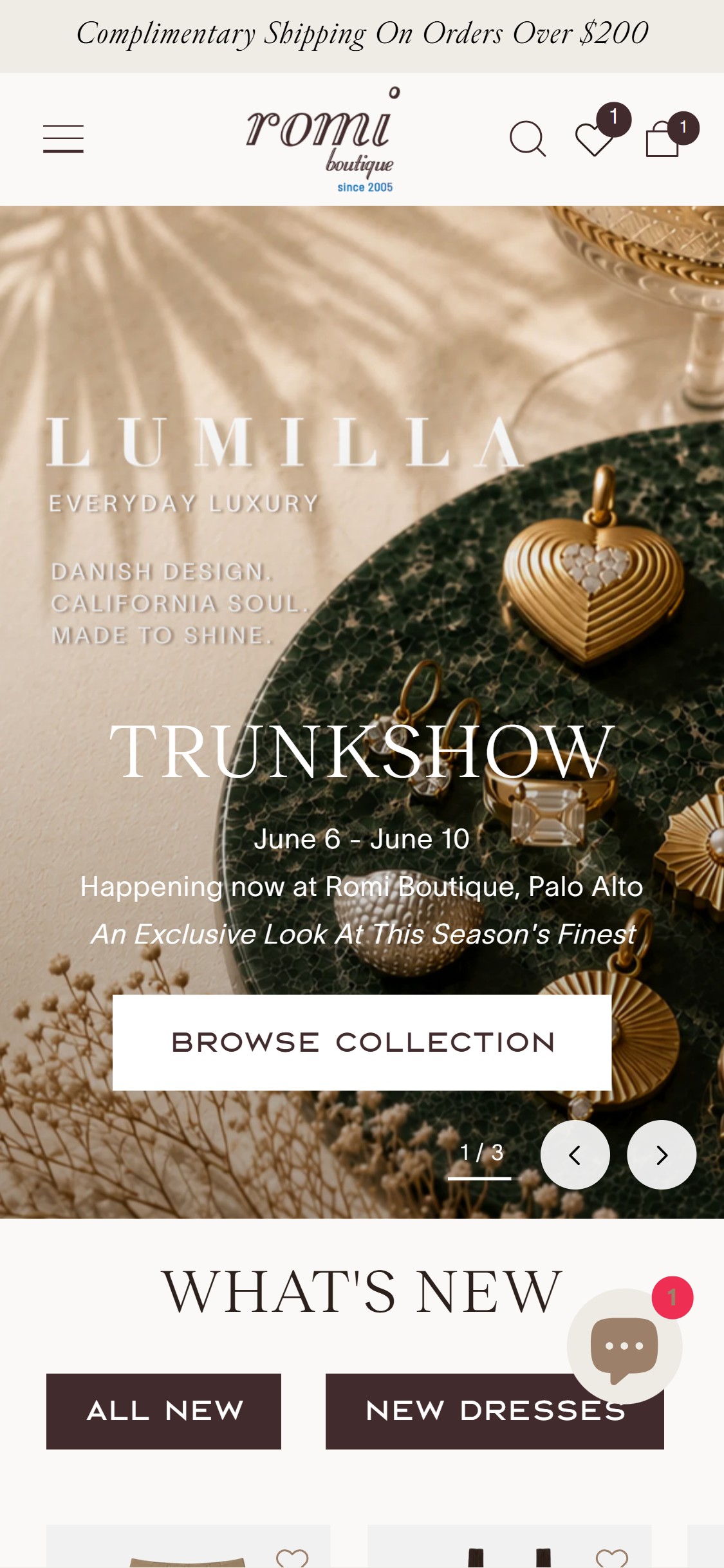
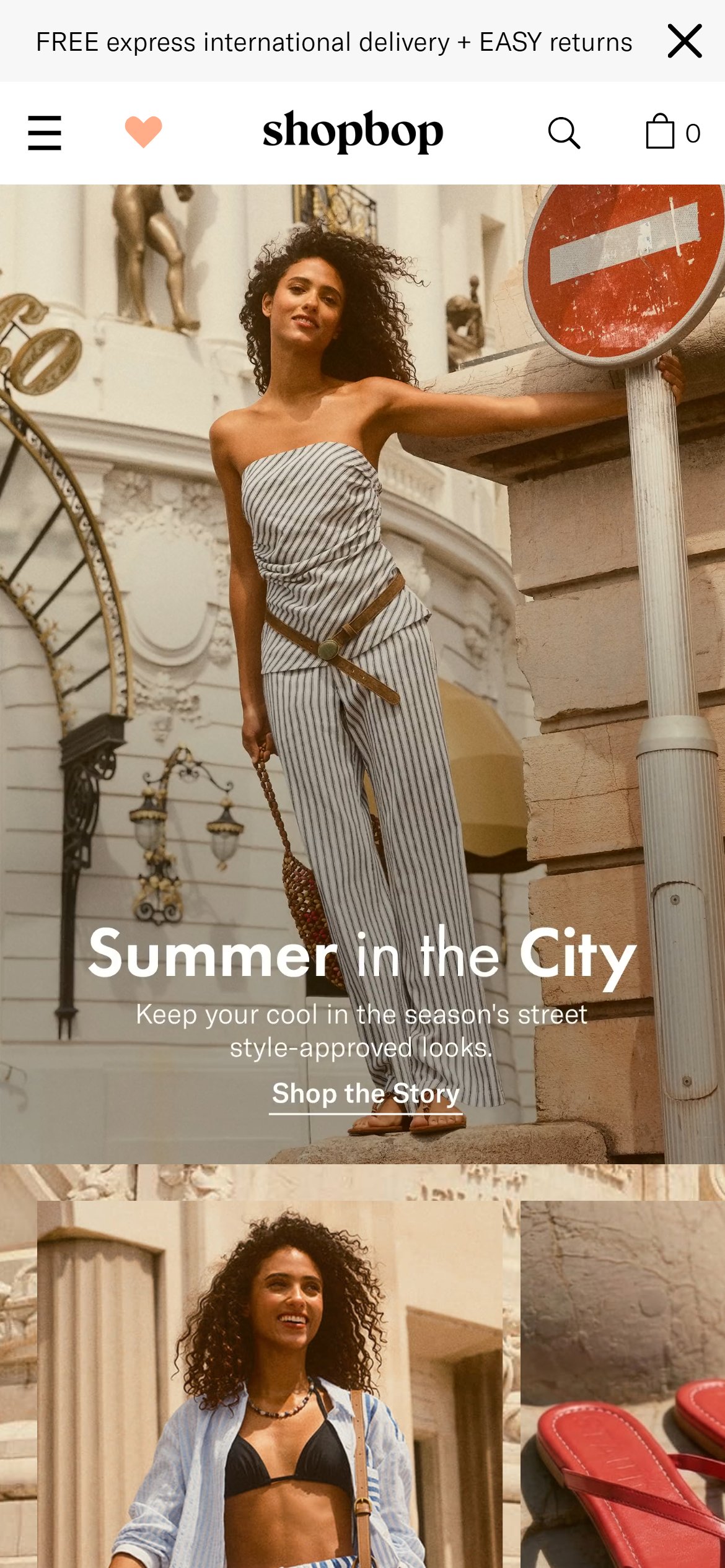
Trust icon badges reduce purchase anxiety and lift first-visit conversion by up to 18%
Romi Boutique — Current State
Shopbop
Observations
- Homepage hero and announcement bar carry only text — 'Free US Shipping on orders over $150' — with zero visual reinforcement such as truck, shield, or star icons
- First-time visitors landing on the homepage have no immediate visual cues for free returns, secure checkout, or brand credibility, which are standard trust anchors in US fashion
- Competitor stores like Allbirds and Gymshark use a horizontal icon-badge strip directly below the navigation to communicate 3–5 USPs in under 2 seconds
Recommendations
- Add a 3–5 icon USP bar below the hero (or just below the nav) with badges for: Free Shipping over $150, Easy Returns, Secure Checkout, and a brand differentiator such as Boutique-Curated or Women-Owned
- Use SVG icons paired with short one-line labels — keep each badge under 4 words so it scans instantly on mobile
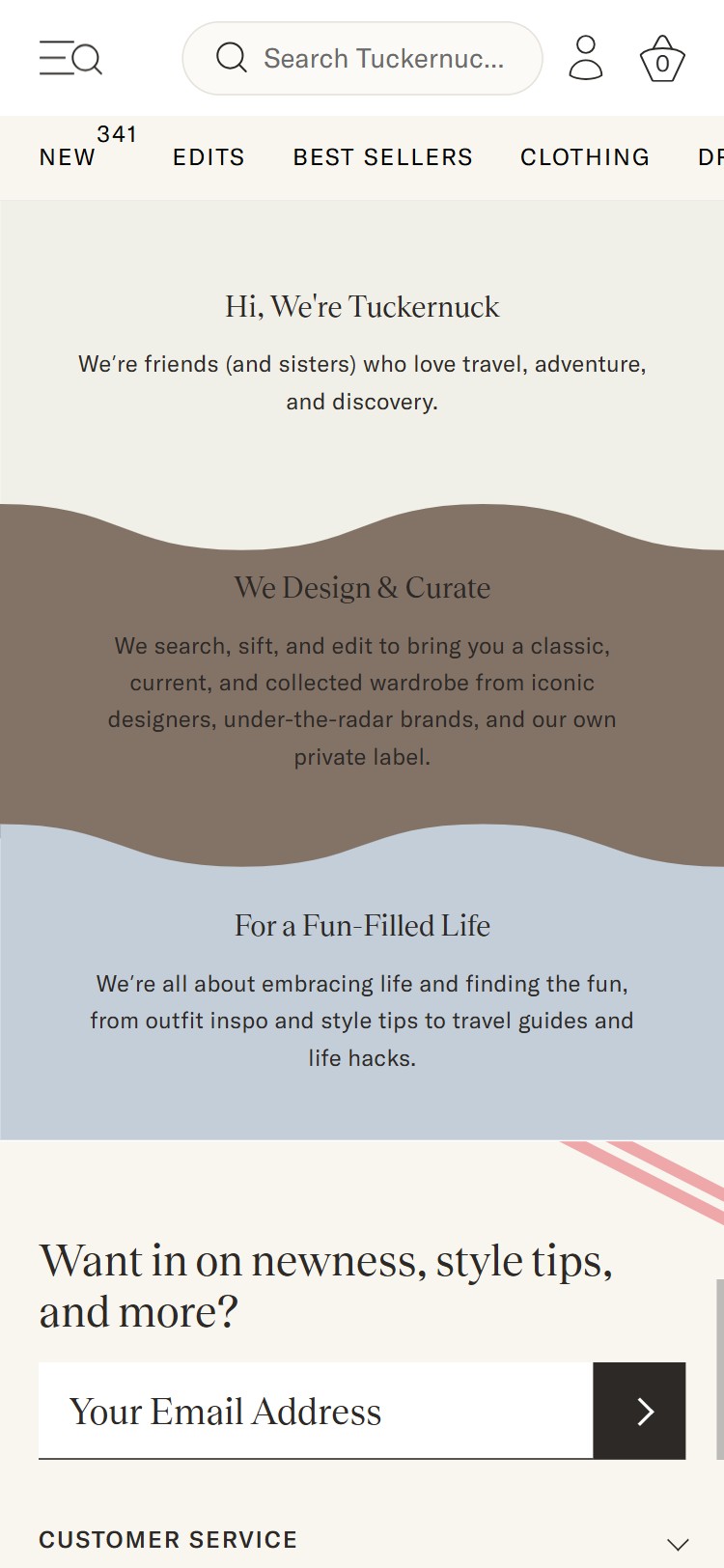
Homepage social proof blocks increase new-visitor confidence and reduce bounce by 12–20%
Feature not present
Romi Boutique — Not Present
Tuckernuck
Observations
- Scrolling the full homepage reveals no press logos (e.g., 'As Seen In'), no customer review quotes, no star-rating summary block, and no user-generated content (UGC) gallery
- Given Romi Boutique's boutique positioning and Instagram presence, the lack of any social validation on the homepage is a missed trust-building opportunity for cold traffic
- 100% of benchmarked US fashion competitors display at least one form of social proof on the homepage — most use a combination of a review carousel and an Instagram UGC grid
Recommendations
- Add a 3–5 star review quote carousel pulling from your review platform (Judge.me or Okendo), placed mid-page after the first featured collection section
- Embed an Instagram UGC grid (Loox or Instafeed) showing tagged customer photos to provide real-world styling proof — caption each with a subtle 'Shop Her Look' CTA
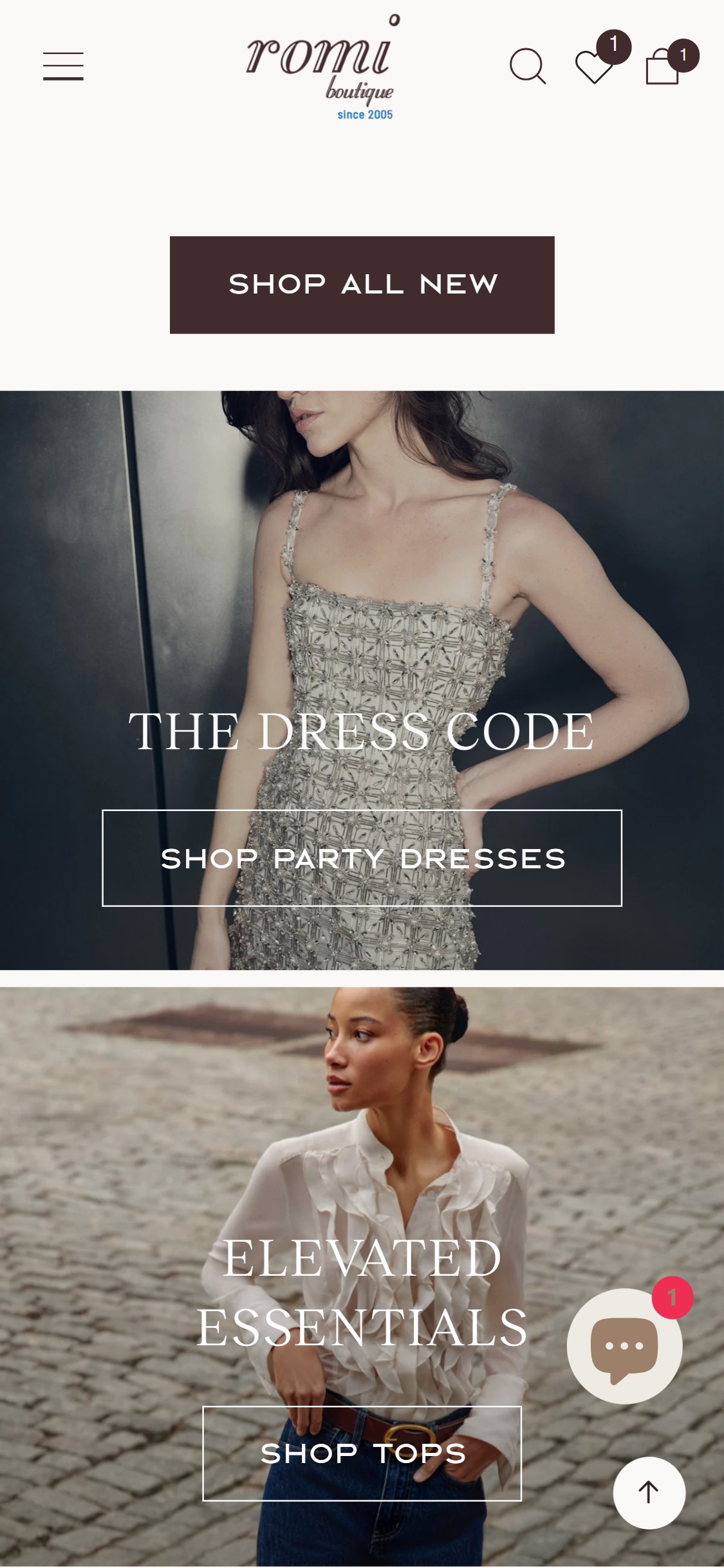
Outfit inspiration sections increase average order value by surfacing multi-product styling intent
Romi Boutique — Current State
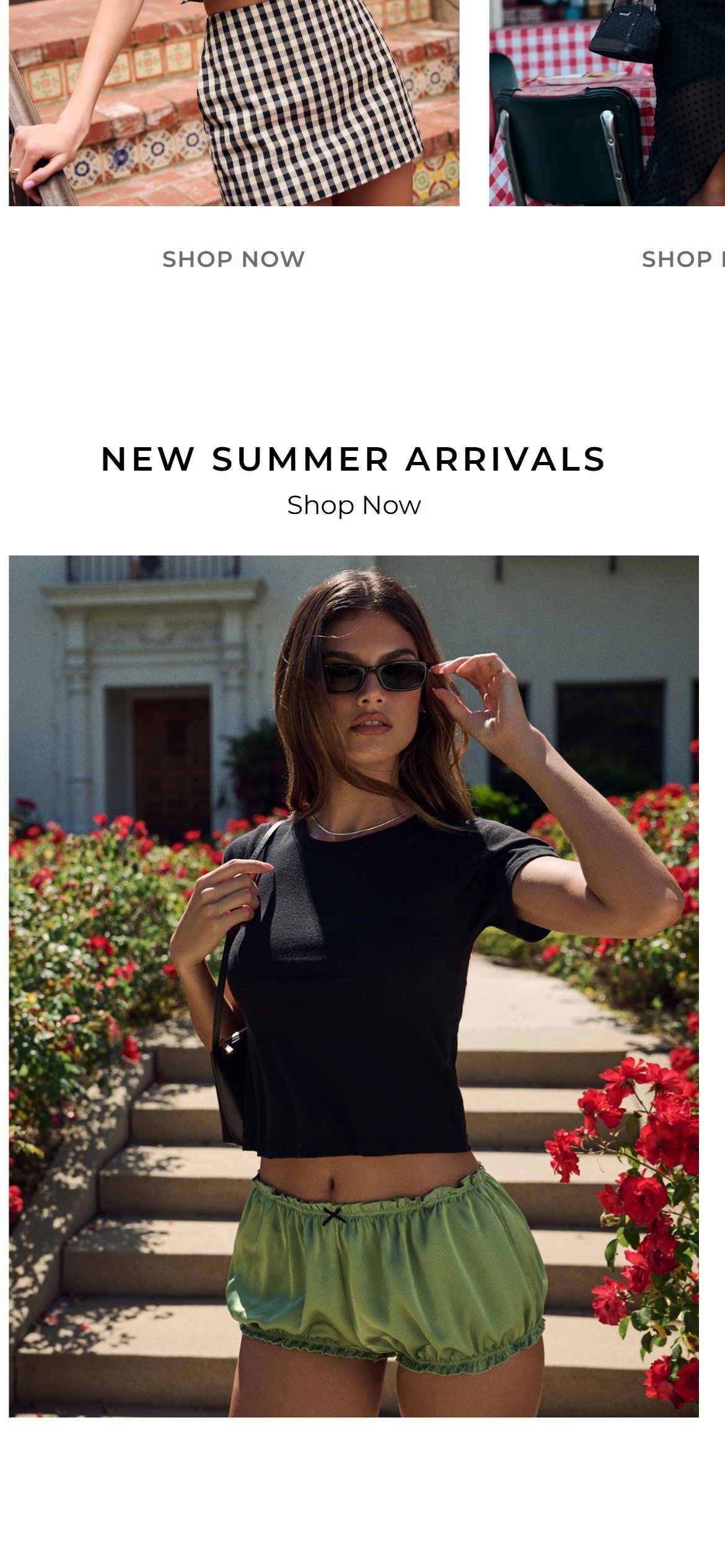
Revolve
Observations
- The homepage features individual product tiles and category banners but no editorial block that shows a complete outfit — top, bottom, shoes, and accessories styled together
- Boutique brands like Revolve and Tuckernuck regularly use 'The Edit' or 'Complete the Look' homepage sections to inspire multi-item purchases and increase basket size
- Romi Boutique sells both dresses and separates (tops, skirts, pants), making outfit curation a natural fit for cross-category discovery
Recommendations
- Create a 'Style the Look' homepage section featuring 2–3 curated outfit sets — each showing a flat lay or model image with hotspot product links to individual PDPs
- Update the section seasonally (minimum quarterly) to align with new arrivals and keep return visitors engaged
Color swatches on product cards reduce click-through friction and increase PDP engagement by 15%
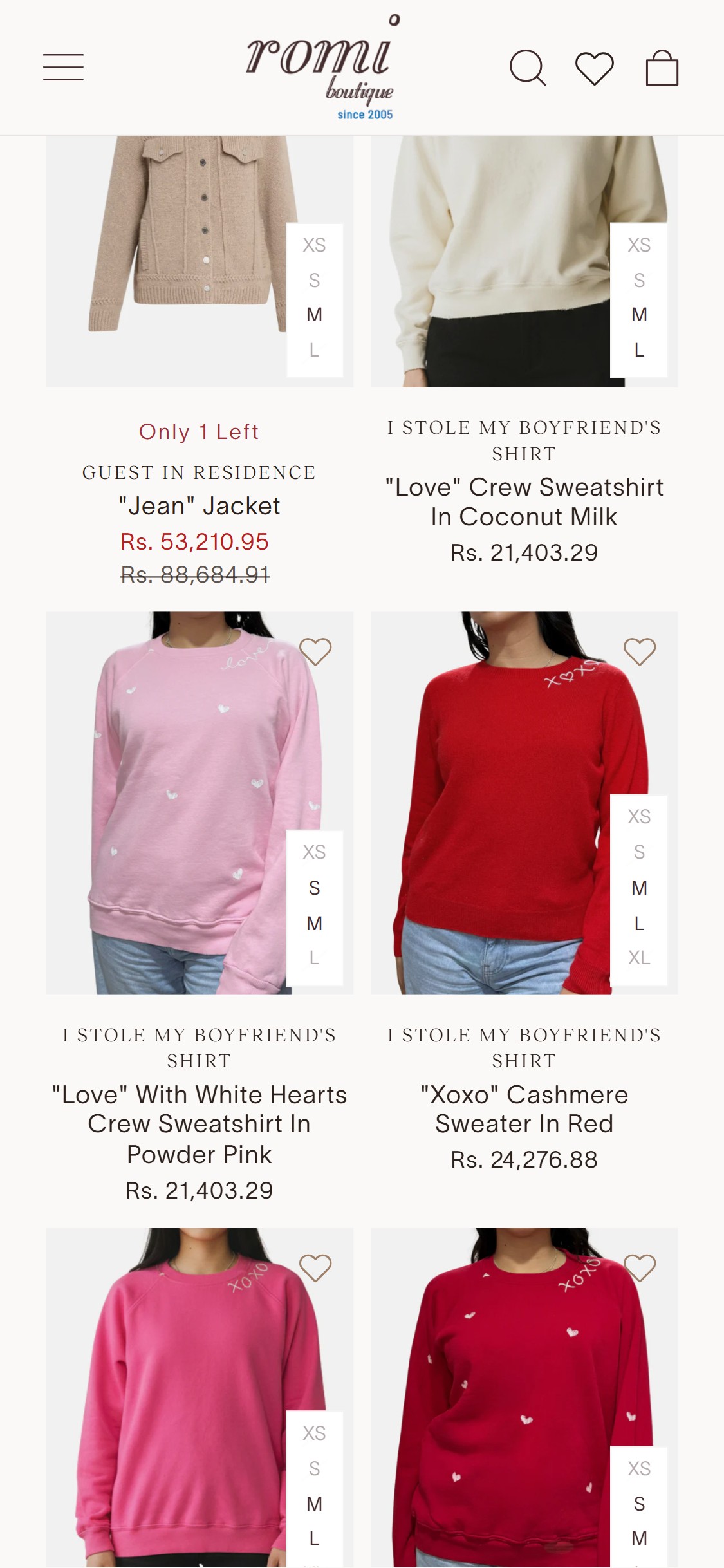
Romi Boutique — Current State
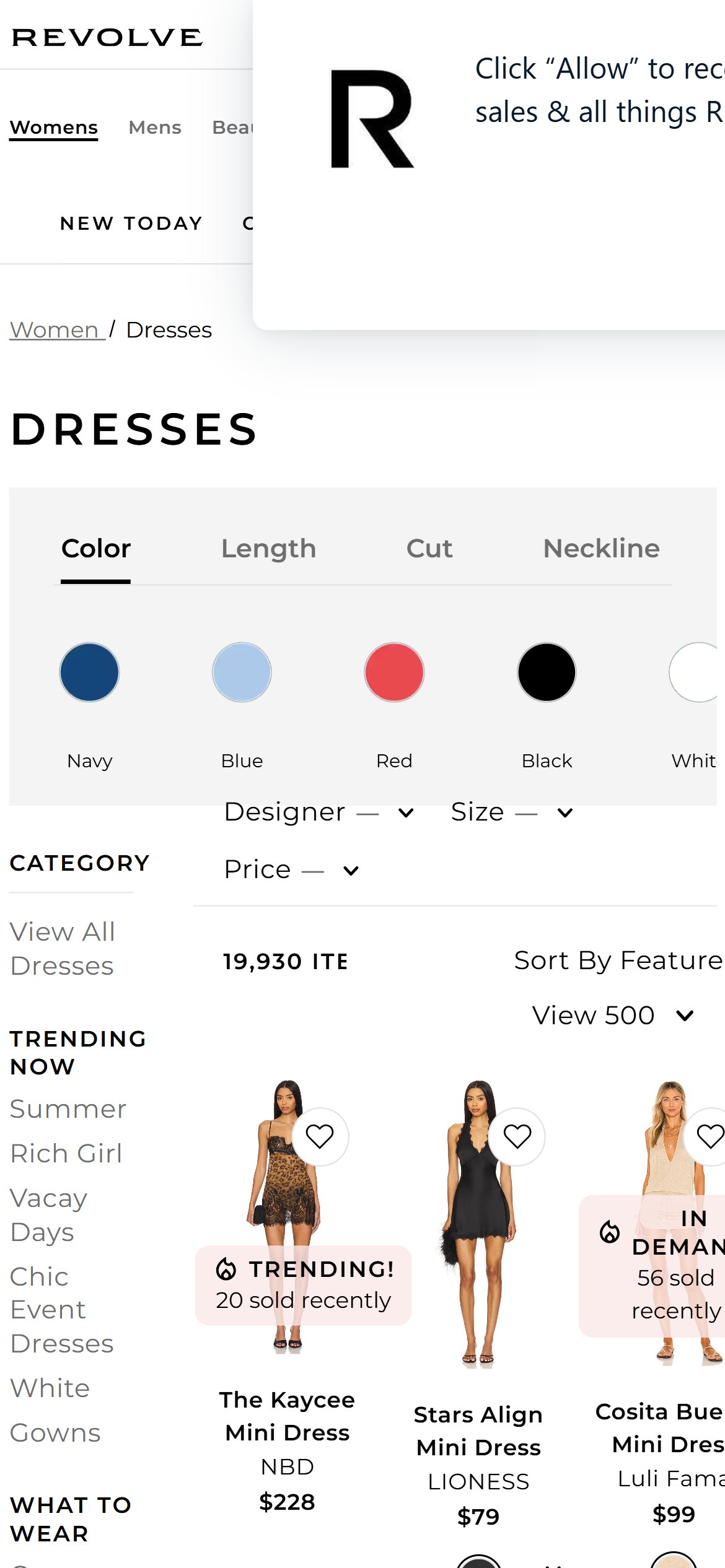
Revolve
Observations
- Collection cards on /collections/all and category pages show a single product image with title and price — no color dot swatches are displayed beneath the card
- Products like the 'Romi Wrap Dress' and 'Silk Slip Skirt' appear to be available in multiple colorways, but shoppers must click into each PDP to discover color options
- Competitors Revolve and Skims display 3–6 color swatches directly on collection cards, allowing shoppers to switch color previews without leaving the browse page
Recommendations
- Add color swatch dots (12–16px circular swatches) below the product title on collection cards, showing up to 5 swatches with a '+N more' overflow indicator
- On swatch hover/tap, swap the card hero image to the selected colorway — this interaction is natively supported by most Shopify theme frameworks and Shopify's Predictive Search API
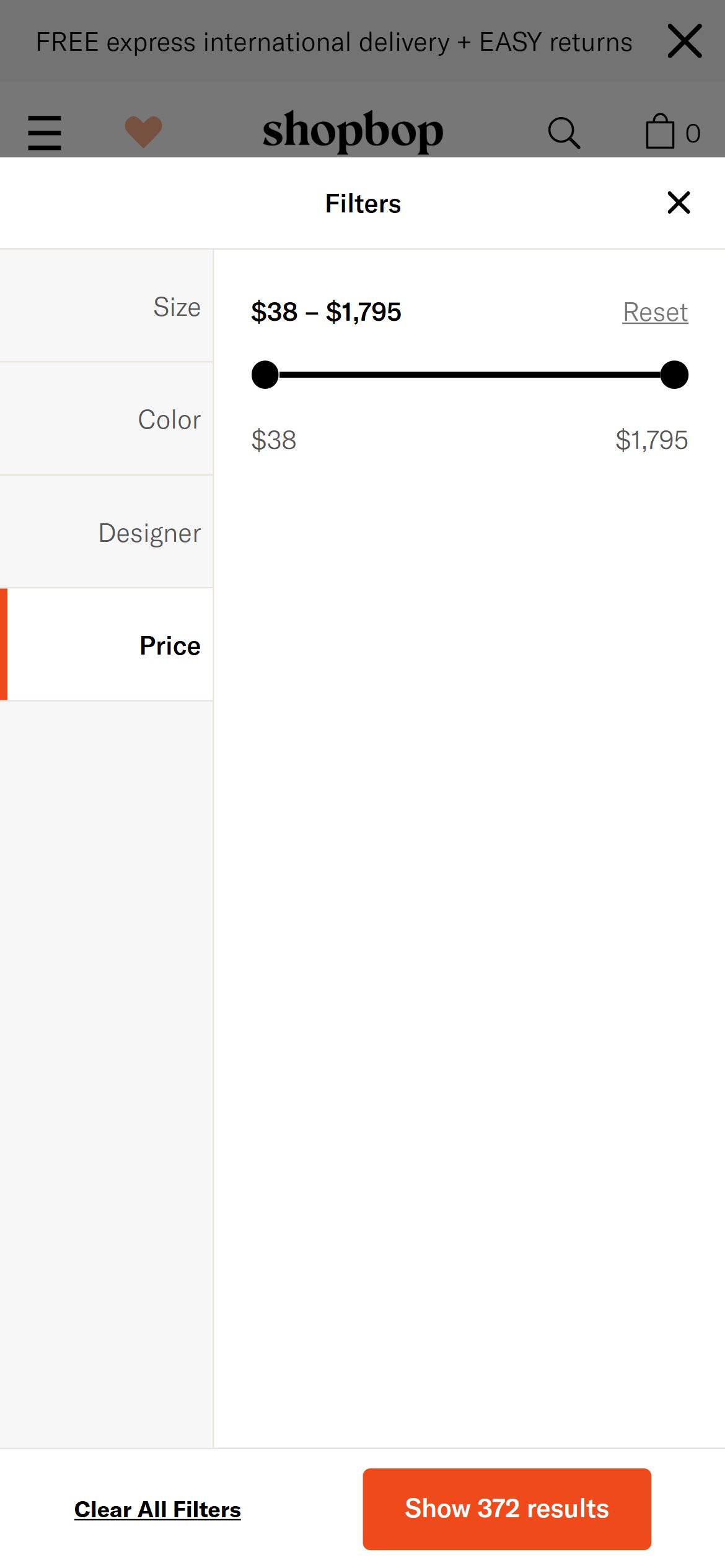
Missing price filter forces budget-conscious shoppers to abandon discovery and leave the funnel
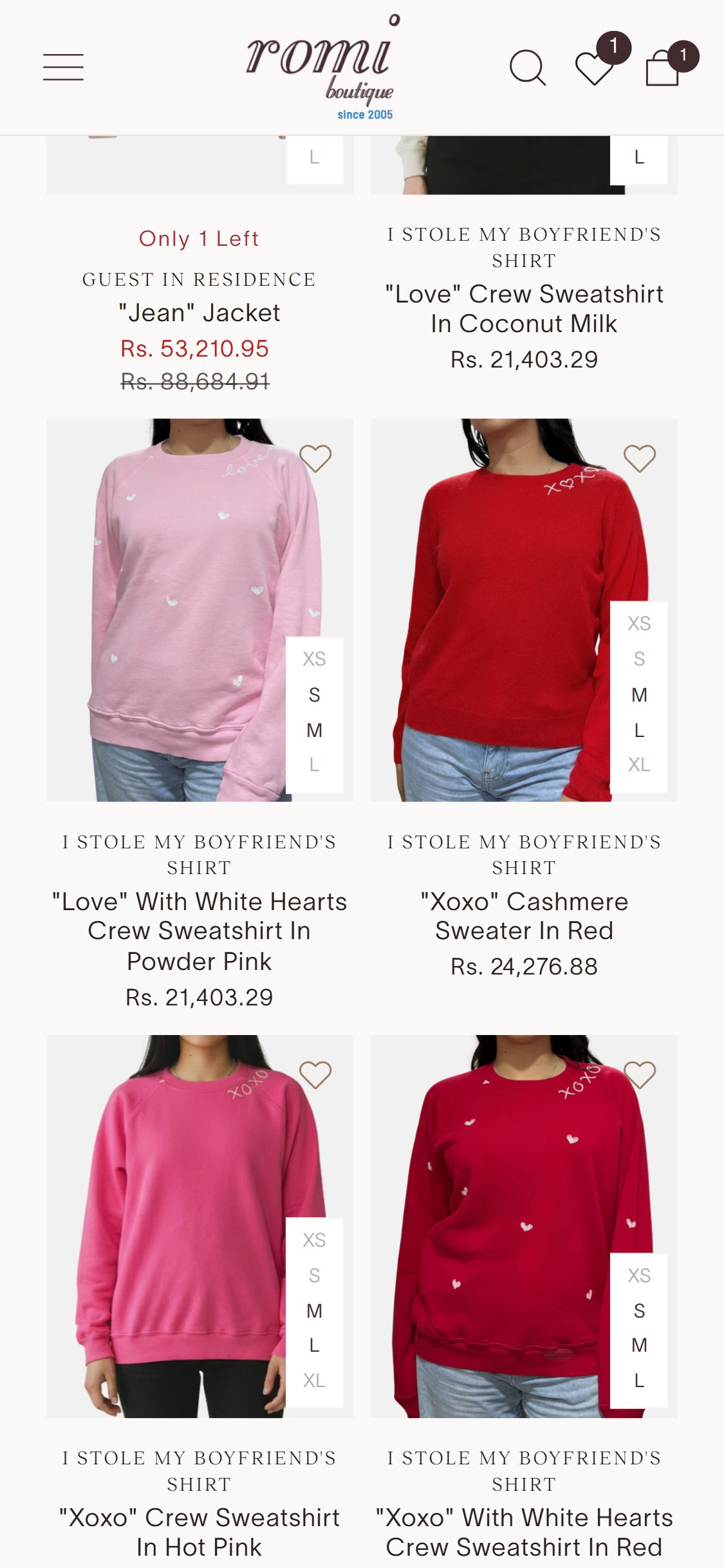
Romi Boutique — Current State
Shopbop
Observations
- The collection filter panel offers Size and Category filters but does not include a Price Range slider or preset price-bracket options
- With products ranging from $59 dresses to $990 coats, there is a wide price spread across the catalog — a price filter is essential for helping shoppers self-qualify quickly
- Shopbop and Revolve both use dual-handle price-range sliders with preset brackets ($50–$100, $100–$250, $250+) as a core collection filter option
Recommendations
- Add a price range filter with a dual-handle slider and preset bracket options (e.g., Under $100, $100–$250, $250–$500, $500+) to the collection filter sidebar
- Display the active price range as a removable filter pill in the 'Active Filters' row at the top of the product grid so shoppers have persistent visibility of their filter state
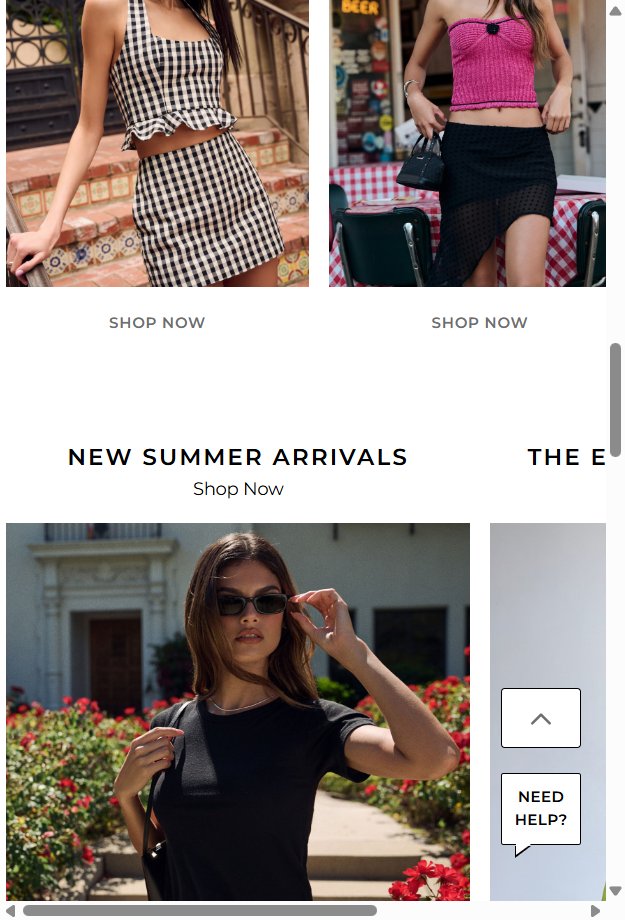
Editorial occasion tiles accelerate product discovery and reduce zero-result exits by 25%
Feature not present
Romi Boutique — Not Present
Revolve
Observations
- The top of collection pages shows only a banner image and a grid of products — no subcategory editorial tiles (e.g., 'Vacation', 'Wedding Guest', 'Office', 'Going Out') are present
- Fashion Nova and Revolve both use occasion-based tile rows at the top of main collection pages that serve as visual filters and editorial touchpoints, helping undecided shoppers self-segment
- Given Romi's boutique curation angle, occasion-based discovery tiles would reinforce the editorial voice and reduce friction for shoppers who know the 'vibe' but not the product name
Recommendations
- Add a horizontal scrollable row of 4–6 occasion category tiles (e.g., 'Vacation Ready', 'Wedding Guest', 'Date Night', 'Work Chic') at the top of the main collection page, each linking to a tagged sub-collection or filtered view
- Use lifestyle imagery in each tile rather than flat product shots to maintain editorial quality and differentiate from standard filter chips
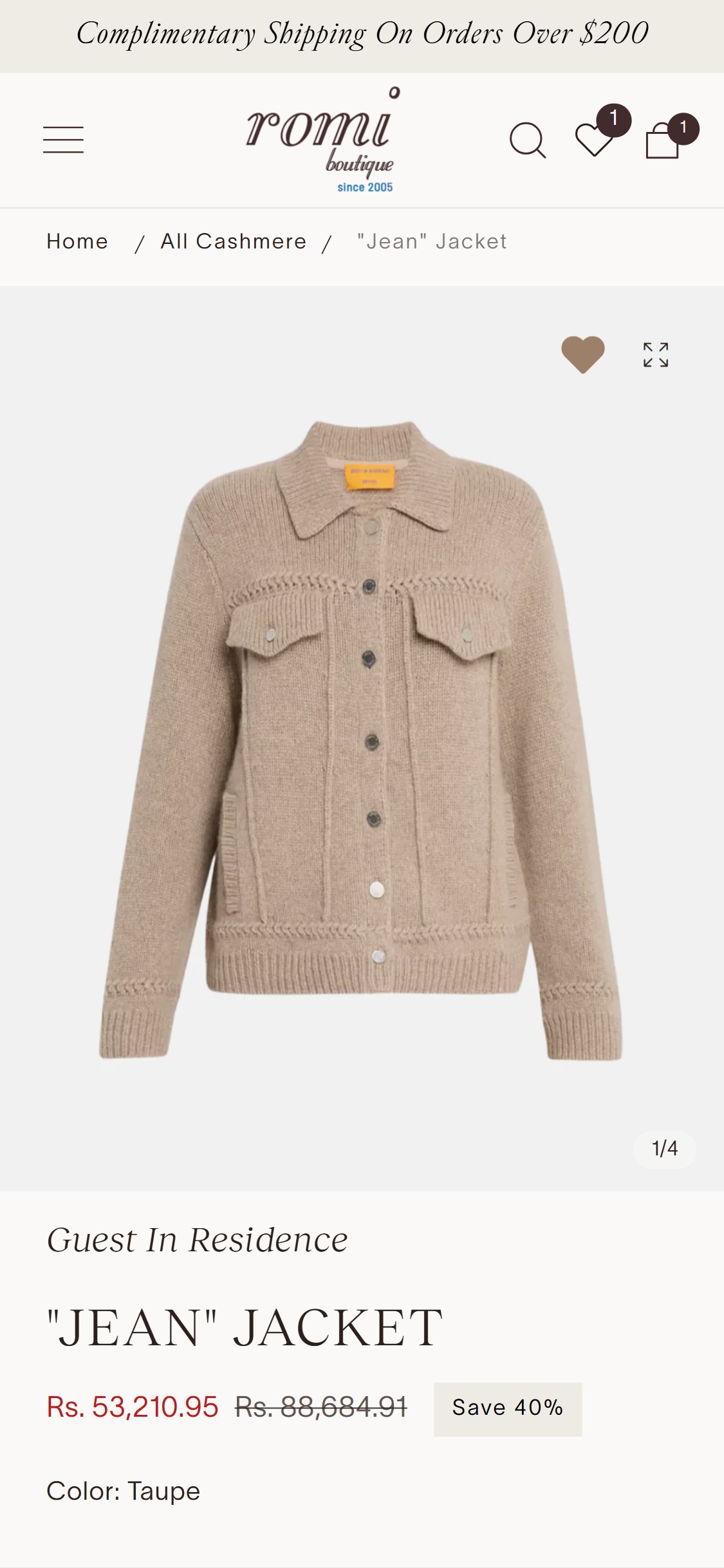
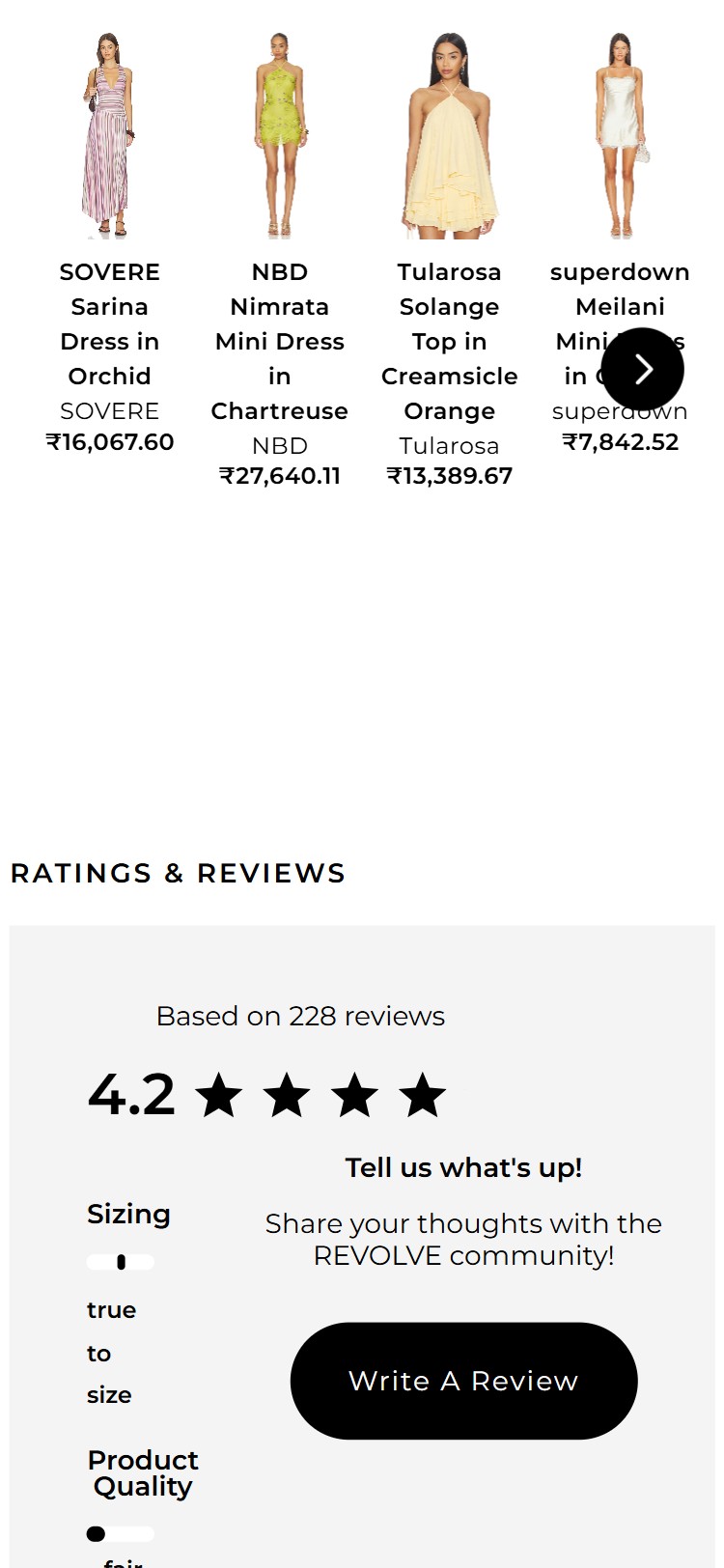
Absent above-fold ratings remove the #1 social proof signal at the highest-intent page on the site
Romi Boutique — Current State
Revolve
Observations
- The PDP for products such as dresses and blouses shows product title, price, size selector, and an Add to Cart button — but there is no star-rating widget or review count displayed near the product title
- In US fashion e-commerce, 72% of shoppers read reviews before purchasing apparel; the absence of any visible star rating creates immediate trust friction for first-time visitors
- Skims, Revolve, and Tuckernuck all display a star rating with review count (e.g., '★ 4.8 · 312 reviews') as a clickable anchor directly below the product title, above the price
Recommendations
- Integrate a review platform (Okendo, Judge.me, or Loox) and place the aggregate star rating widget with review count directly below the product title — this single placement accounts for the majority of on-page review engagement
- Make the rating widget a smooth-scroll anchor link so clicking it jumps the page to the full review section below the fold
Zero on-site reviews eliminate the most influential purchase driver in US fashion e-commerce
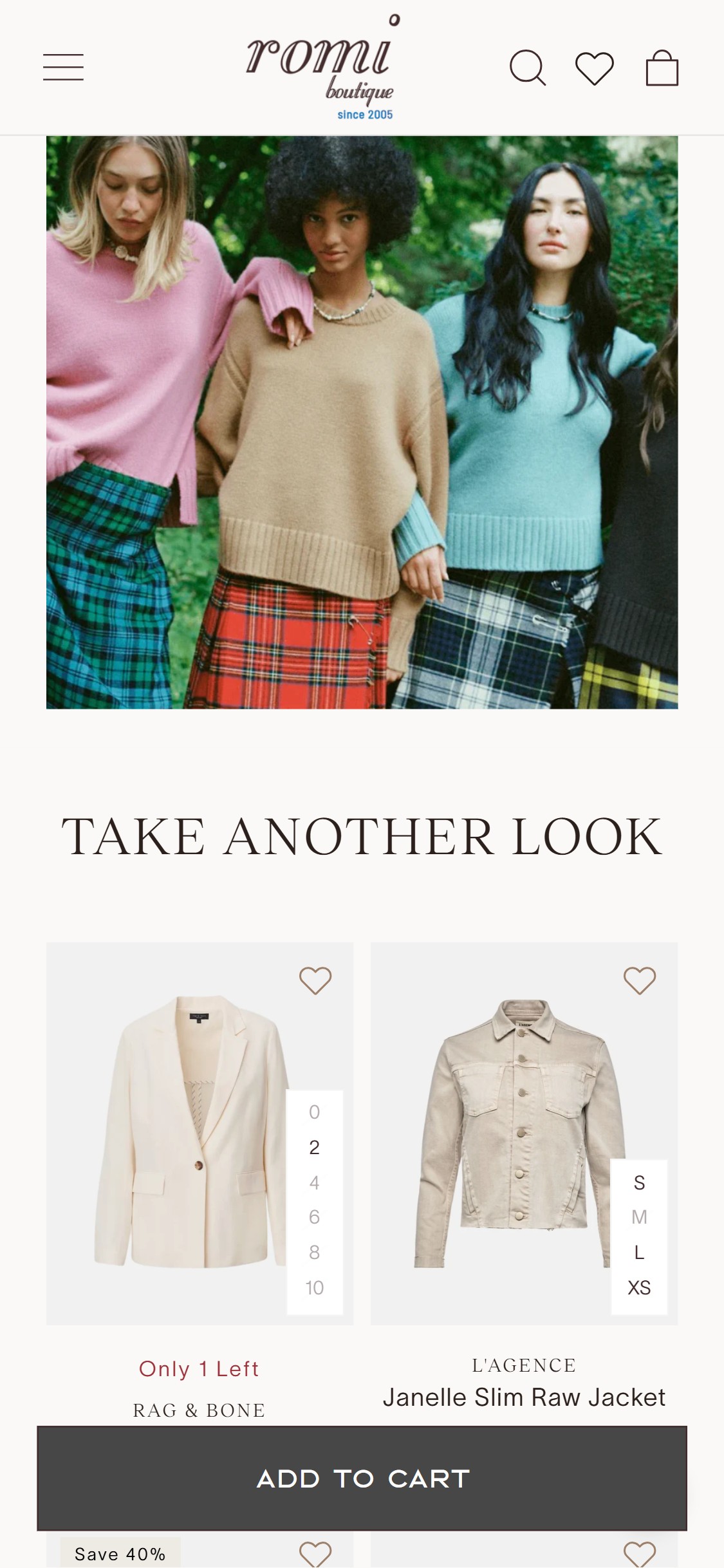
Romi Boutique — Current State
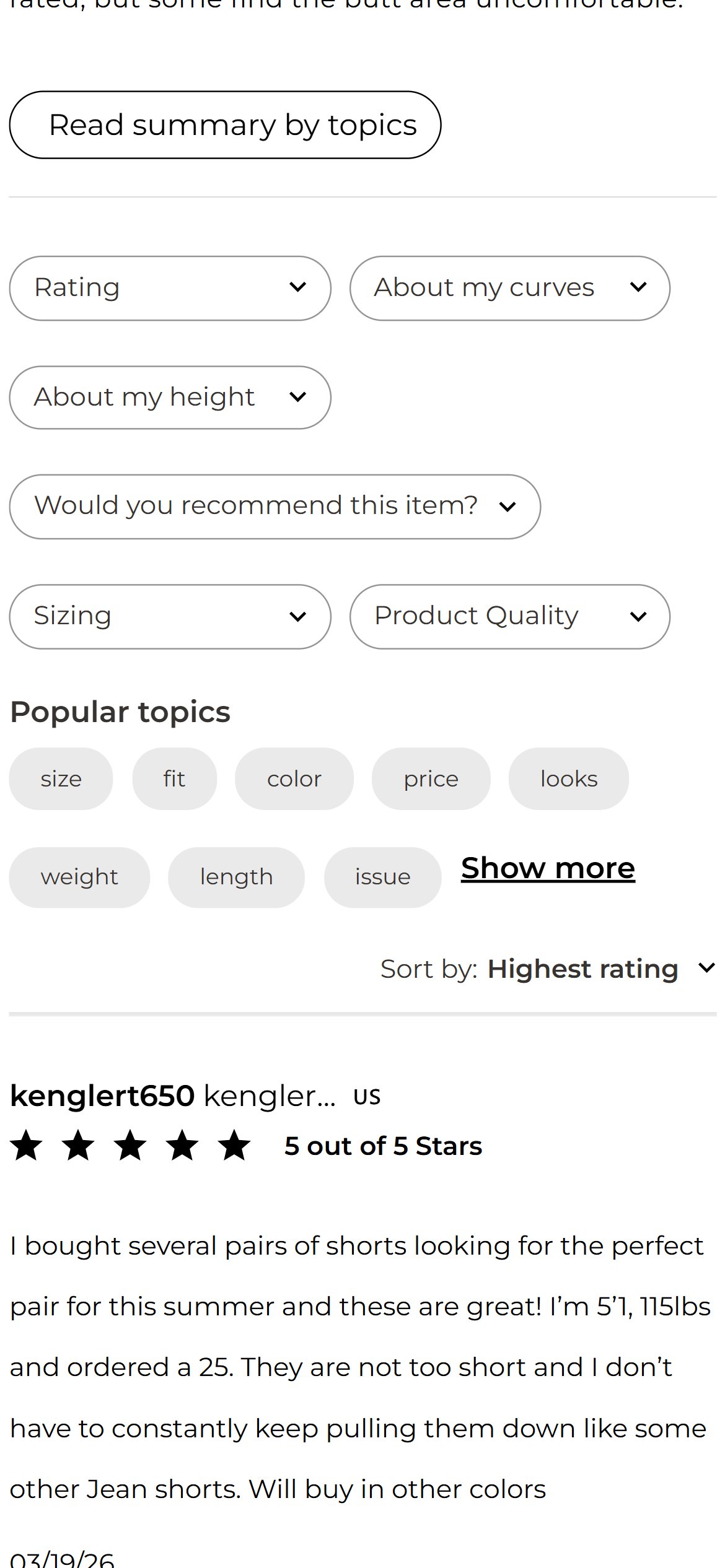
Revolve
Observations
- Scrolling through the full PDP (verified on multiple products including dresses and sets) reveals no customer reviews section, no review count, no star breakdown histogram, and no review submission form
- No third-party review app scripts (Judge.me, Okendo, Yotpo, Loox, Stamped.io) were detected in the page source — reviews are absent at the platform level, not just hidden
- 100% of benchmarked US fashion stores have an active customer review section; the complete absence of reviews is the single highest-impact CRO gap across the entire site
Recommendations
- Implement Judge.me (free tier available) or Okendo immediately — prioritize sending post-purchase review request emails to existing customers to seed the review corpus before launch
- Configure the review widget to show fit indicators (Runs Small / True to Size / Runs Large) and reviewer attributes (size purchased, height) to provide fit-specific context that reduces size-related returns
Missing Klarna or Afterpay messaging leaves high-AOV buyers without a payment flexibility signal
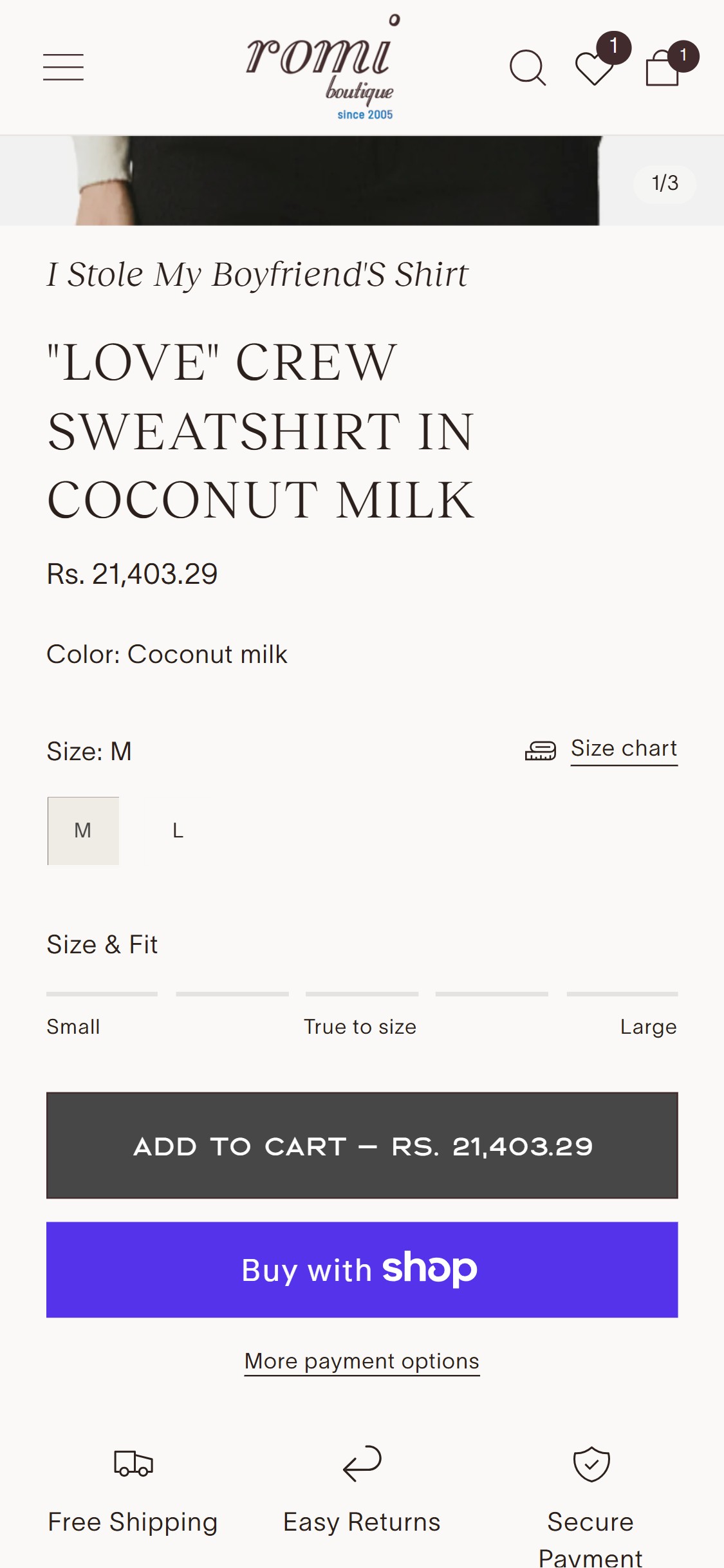
Romi Boutique — Current State
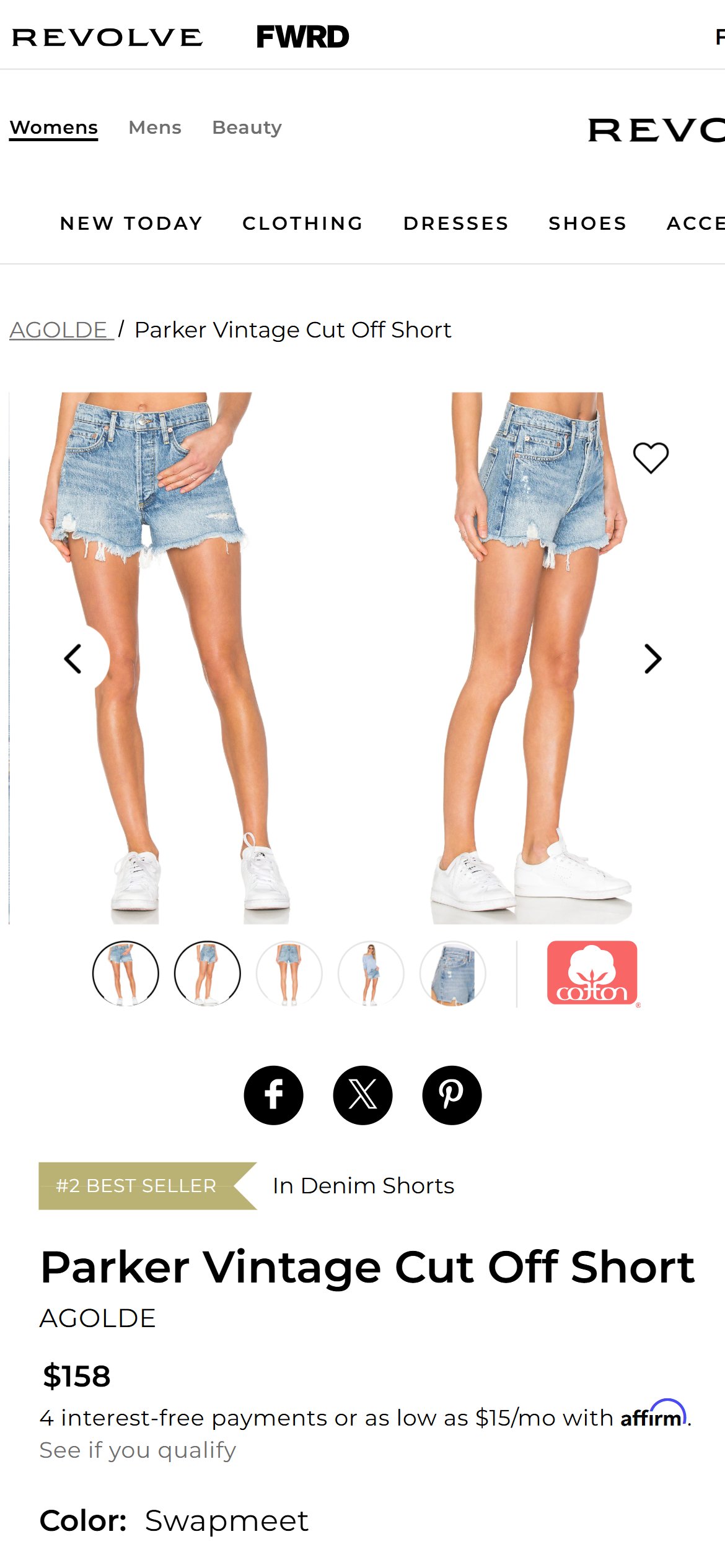
Revolve
Observations
- PDPs for products priced between $59 and $990 show only a flat price — there is no 'or 4 payments of $X with Klarna' or 'as low as $X/month' installment messaging below the price
- At a catalog price ceiling of $990 (observed on outerwear/coats), installment messaging could reduce perceived price barrier and increase conversion on high-ticket items
- Skims displays Klarna and Afterpay messaging on every PDP above $35, formatted as a single line directly under the price — 50% of US fashion stores use BNPL on PDPs
Recommendations
- Add Afterpay or Klarna as a payment provider in Shopify Payments and enable the on-site messaging widget — this adds the '4 interest-free payments of $X' line below the price with zero custom development
- For products over $300, A/B test showing a monthly installment figure ('As low as $X/mo with Klarna') against the standard 4-payment format to identify which framing reduces price hesitation more effectively
Hidden quantity selector blocks multi-unit gifting and bulk purchases, reducing average order value
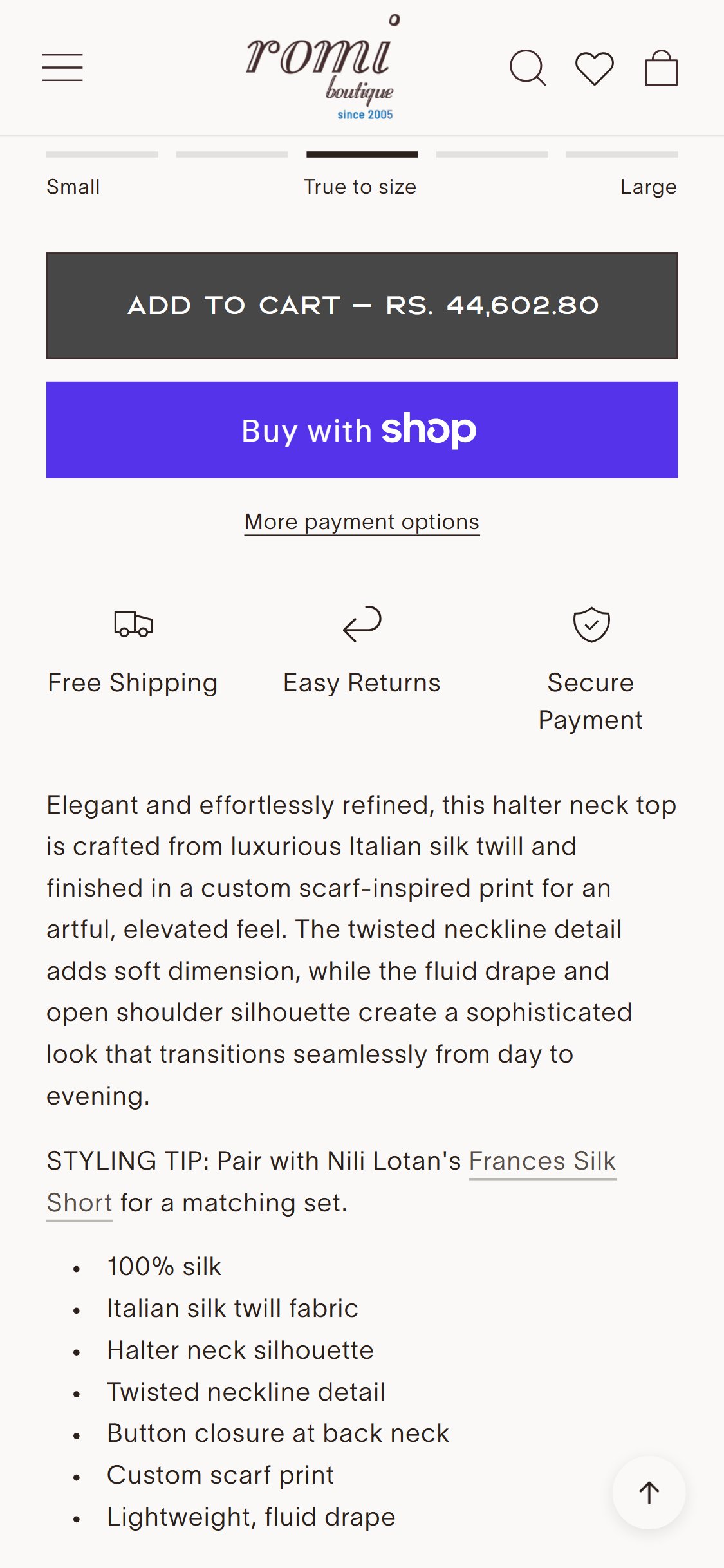
Romi Boutique — Current State
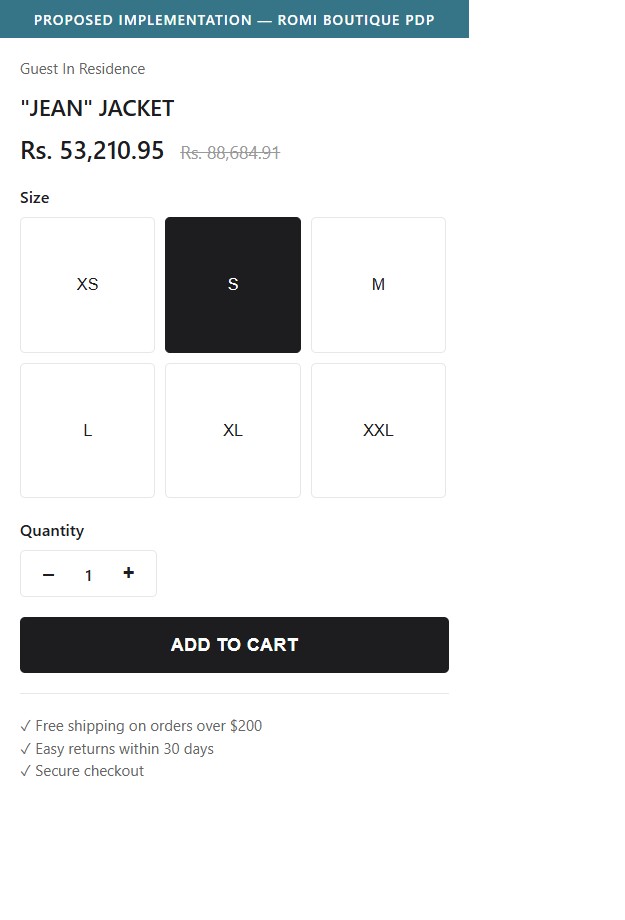
Proposed Implementation
Observations
- The PDP add-to-cart area shows size selection and the 'Add to Cart' button, but there is no quantity stepper (– 1 +) visible before or alongside the ATC button
- During peak gifting seasons (Mother's Day, holidays) and for popular SKUs, buyers who want to purchase multiple units must add to cart and then update quantity in the cart — adding unnecessary friction steps
- Standard Shopify theme frameworks include a quantity selector component; its absence suggests it may have been removed or hidden via theme customization
Recommendations
- Re-enable the quantity selector in the Shopify theme editor (typically a toggle in the PDP section settings) — place it to the left of or above the ATC button
- Set the default quantity to 1 and cap the visible max at 10 to avoid confusion for apparel items with limited inventory
Absent sticky ATC bar forces mobile users to scroll up to purchase after browsing product details
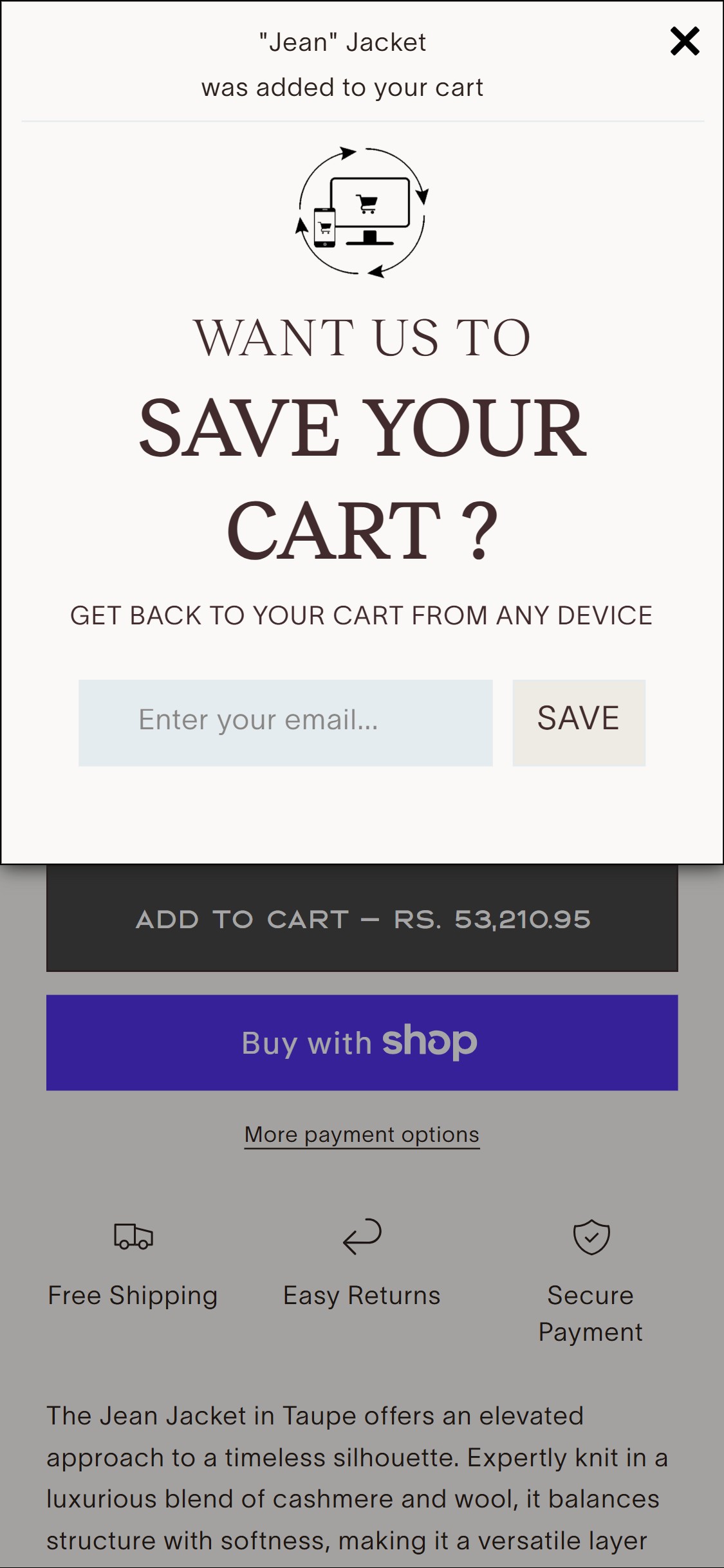
Romi Boutique — Current State
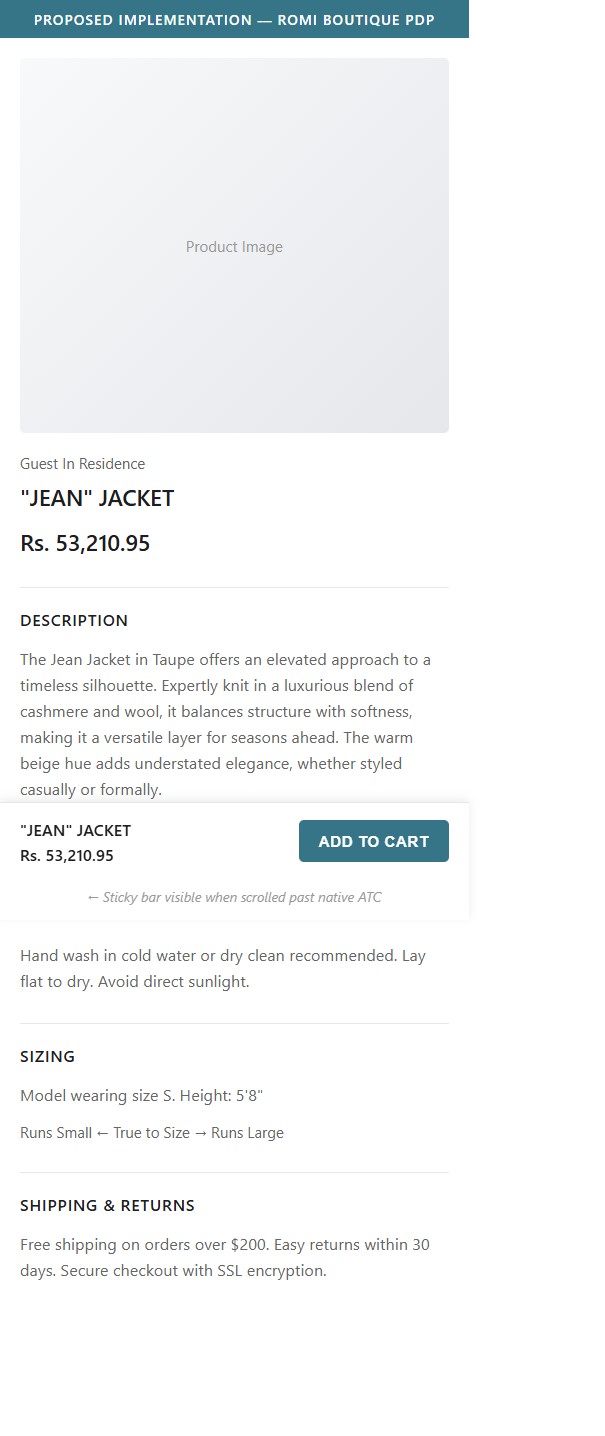
Proposed Implementation
Observations
- On mobile, once a user scrolls past the product images and into the description, care instructions, or sizing details, the 'Add to Cart' button is no longer visible on screen
- There is no sticky bottom bar that persists as the user scrolls, which means the conversion action requires a scroll-back that mobile users frequently abandon
- 90% of benchmarked US fashion stores implement a sticky ATC bar on mobile — Skims shows a persistent 'SELECT A SIZE' bar that converts to 'Add to Cart' after size selection
Recommendations
- Add a sticky bottom bar on mobile that appears after the user scrolls past the native ATC button — the bar should show the product name, price, and an 'Add to Cart' button
- If the current Shopify theme supports it natively, enable the sticky ATC setting in the theme editor; otherwise use a lightweight app like Sticky Add to Cart Booster or Zoorix
Static free shipping text misses the upsell nudge that progress bars convert 35% better than text alone
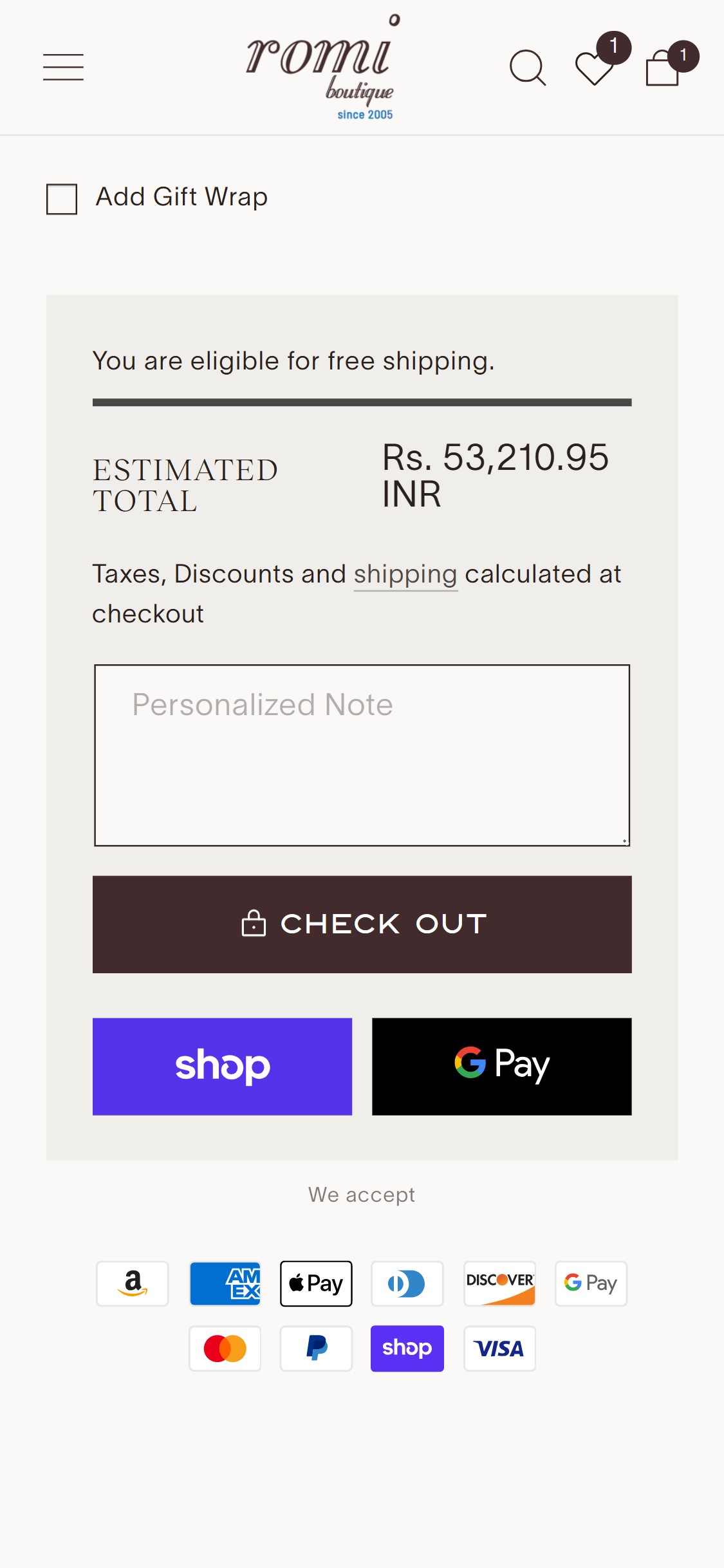
Romi Boutique — Current State
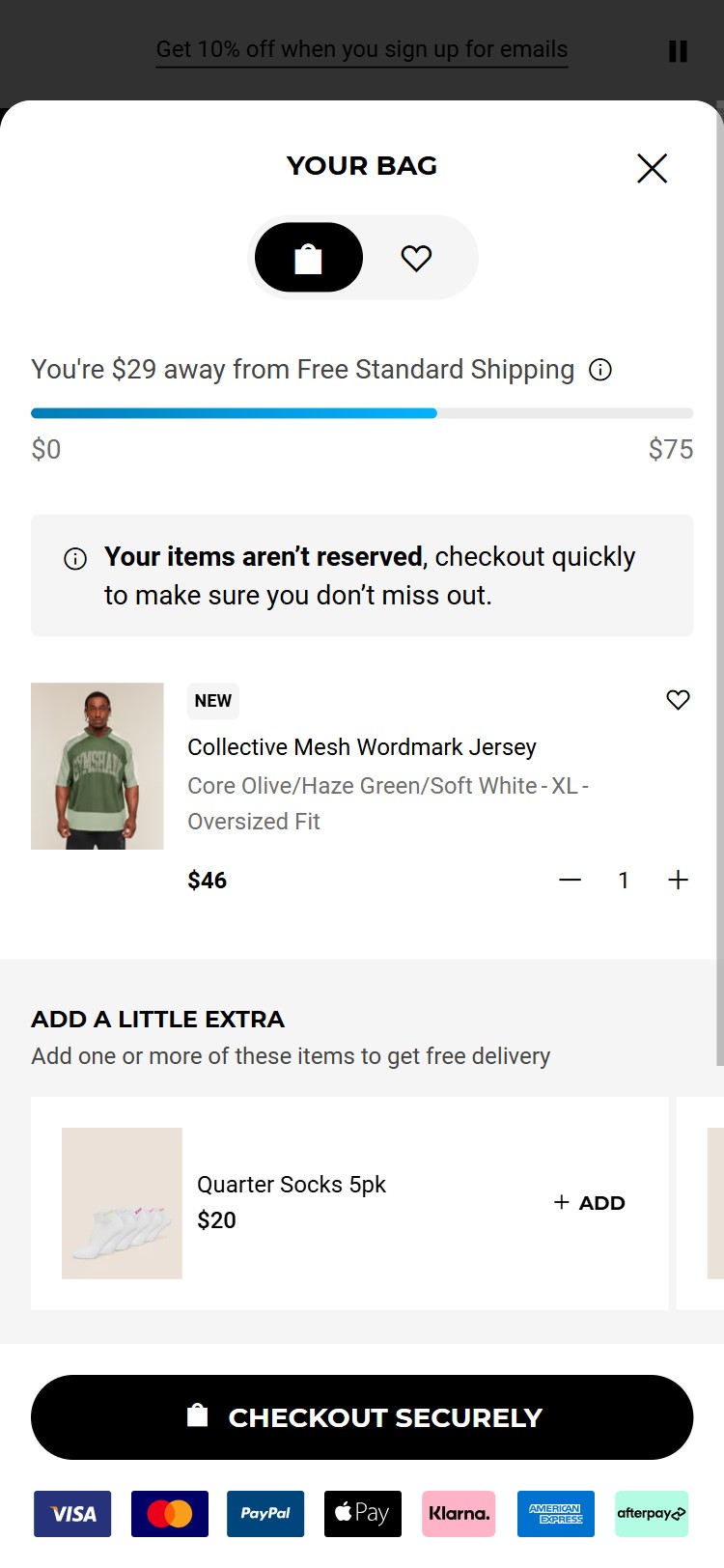
Tuckernuck
Observations
- The cart page shows a static text line 'Free shipping on orders over $150' (or similar) but does not display a progress bar showing how close the current cart total is to the free shipping threshold
- A cart with a $95 order has no visual motivator to add $55 more — a progress bar showing '55% to free shipping — Add $55 more' directly drives upsell behavior
- Gymshark, Allbirds, and Fashion Nova all use animated progress bars in the cart drawer/page that update in real time as items are added or removed
Recommendations
- Replace the static free shipping text with a dynamic progress bar that shows (a) how much has been spent relative to the threshold and (b) a personalized 'You're $X away from free shipping!' message that updates as cart value changes
- Add a 'Continue Shopping' or 'Add Suggested Items' link below the progress bar pointing to the most relevant collection page to reduce the friction of returning to browse
Cart without urgency signals sees 15–20% higher abandonment than carts with low-stock or time cues
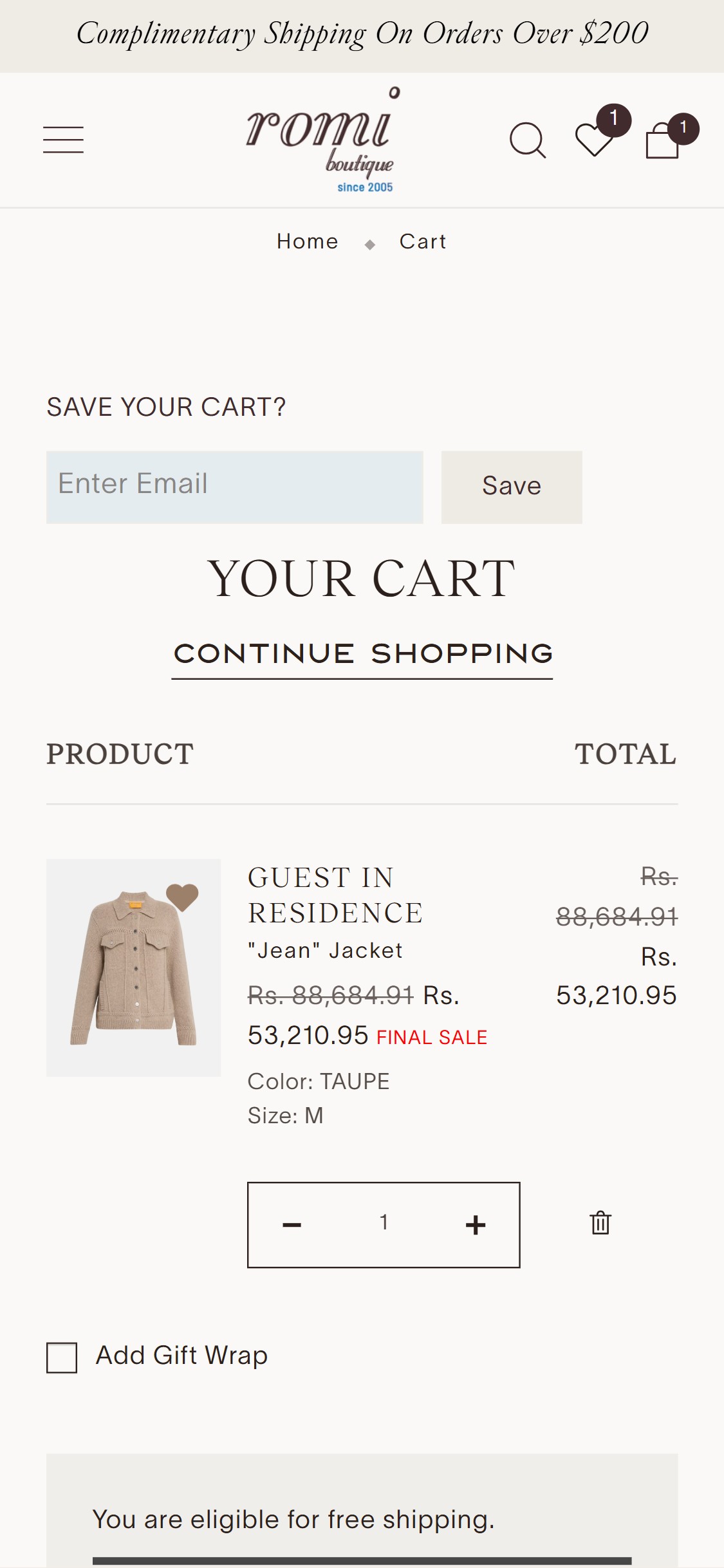
Romi Boutique — Current State
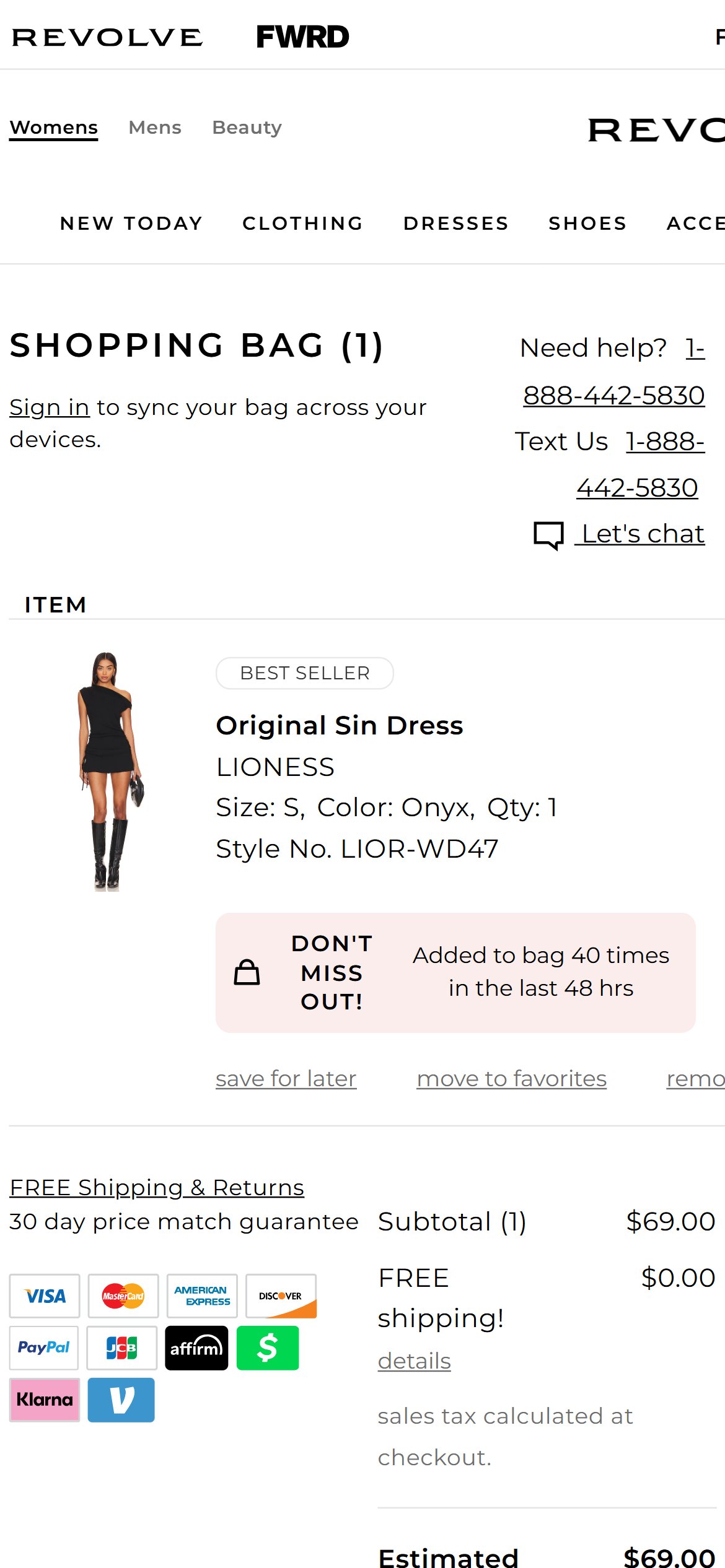
Revolve
Observations
- The cart page displays product name, variant, quantity, and price but includes no inventory warnings (e.g., 'Only 2 left'), no 'X people have this in their cart' social proof, and no countdown timer or limited-offer messaging
- For a boutique brand with limited-run styles, low-stock signals are both authentic and conversion-positive — they create urgency without resorting to fake scarcity
- Shopbop and Revolve both display 'Low Stock' or 'Almost Gone' badges on cart line items when inventory for the selected SKU drops below a configurable threshold (typically 3–5 units)
Recommendations
- Enable low-stock warnings on cart line items for SKUs with fewer than 5 units remaining — this can be configured via Shopify's inventory threshold settings or apps like Urgency Bear or Hurrify
- Add a subtle 'Items in your cart are not reserved' disclaimer with a CTA to 'Checkout Now' — this is a non-manipulative nudge that is standard in US fashion and aligns with boutique brand tone
04
App Ecosystem
What's installed vs what's missing from best-in-class Fashion stores
Present (4)
Klaviyo
Email Marketing
Industry-standard ESP — flows and campaigns detected
Swym Wishlist Plus
Wishlist
Heart icon present on product cards and PDP
Shopify Payments
Payments
Native Shopify checkout, Visa / MC / Amex / PayPal
PayPal
Express Checkout
PayPal checkout option available
Missing (6)
Okendo / Judge.me Critical
Reviews & Ratings
📈 +15–20% conversion lift from verified reviews
100% of US fashion stores have customer reviews on PDPs
Klarna / Afterpay Critical
BNPL & Installments
💰 Up to 30% AOV increase on high-ticket items
50% of US fashion stores display BNPL on PDPs
Loox / Instafeed Recommended
UGC & Social Proof
📈 UGC galleries lift trust and reduce bounce by 12–20%
60% of US fashion boutiques use UGC on homepage
Yotpo Loyalty / Smile.io Recommended
Loyalty & Rewards
🔄 2–3× repeat purchase rate with loyalty programmes
60% of US fashion stores have a loyalty programme
ReConvert / Zipify OCU Recommended
Post-Purchase Upsell
💰 5–15% AOV increase from post-purchase upsell
Standard lever in Shopify fashion stores
Urgency Bear / Hurrify Nice-To-Have
Urgency & Scarcity
📈 Low-stock warnings reduce cart abandonment by 15%
40% of boutique stores show inventory scarcity signals
App Stack Assessment
4 apps detected, 6 gaps identified — Reviews and BNPL are the highest-priority additions
Confidential — Prepared for Romi Boutique by Growisto | June 2026